
Subscription Overview
KimonBids offers four subscription tiers designed to meet the needs of businesses at different stages of their public sector journey:
- Free -- Explore the platform and see if government tendering is right for your business
- Pro -- Full access to tender matching, bid writing, compliance tools, and AI reviews
- Growth -- Higher bid volume, unlimited watchlists, and a larger team
- Scale -- Maximum capacity for teams running a high volume of bids
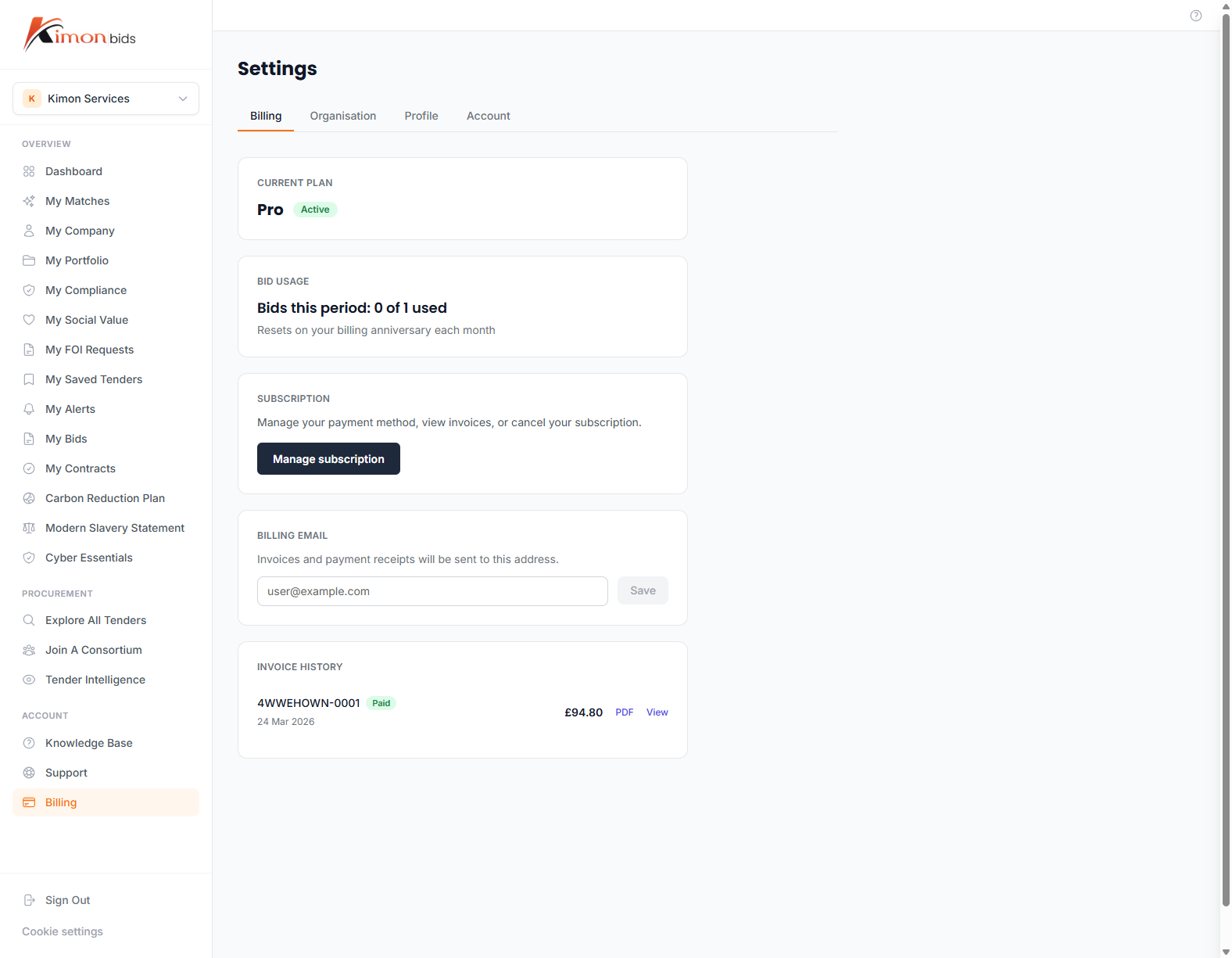
Your current subscription tier is shown in Settings > Billing.
Plan Comparison
| Feature | Free | Pro | Growth | Scale |
|---|---|---|---|---|
| Tender Matching | ||||
| Tender search and filtering | 1 search/day, 5 results | Unlimited | Unlimited | Unlimited |
| Match score and recommendations | Yes | Yes | Yes | Yes |
| Saved searches and alerts | 1 alert | Unlimited | Unlimited | Unlimited |
| Buyer history and analytics | No | Yes | Yes | Yes |
| Pipeline notices (advance intel) | No | Yes | Yes | Yes |
| Bid Writing | ||||
| Bids per month | 1 (lifetime trial) | 1 | 5 | 25 |
| Bid sections and word limits | Yes | Yes | Yes | Yes |
| ITT import and criteria extraction | No | Yes | Yes | Yes |
| AI draft generation | No | Included | Included | Included |
| AI bid reviews | No | Included | Included | Included |
| Bid export (Word) | Yes | Yes | Yes | Yes |
| Compliance | ||||
| Compliance document library | View only | Full | Full | Full |
| AI Carbon Reduction Plan generation | No | Yes | Yes | Yes |
| AI Modern Slavery Statement generation | No | Yes | Yes | Yes |
| Certificate expiry alerts | No | Yes | Yes | Yes |
| Competitor and Buyer Intelligence | ||||
| Competitor watchlist | No | 5 slots | Unlimited | Unlimited |
| Buyer watchlist | No | 5 slots | Unlimited | Unlimited |
| Team and Organisation | ||||
| Team members | 1 (owner only) | 3 | 5 | 10 |
| Role-based permissions | No | Yes | Yes | Yes |
| Team bid collaboration | No | Yes | Yes | Yes |
Upgrading Your Subscription
To upgrade from Free to Pro:
- Go to Settings > Billing
- Click Upgrade to Pro
- Review the plan details and pricing
- Enter your payment details (credit/debit card via Stripe)
- Confirm the subscription
Your Pro access is activated immediately. The first billing period starts the day you upgrade.
To upgrade to Growth or Scale, follow the same steps and select the tier that suits your needs. All tiers are available for self-service upgrade.
Billing and Payment
Payment Methods
KimonBids accepts:
- Visa and Mastercard credit and debit cards
- American Express
All payments are processed securely by Stripe. KimonBids does not store your card details.
Billing Cycle
All paid subscriptions are billed monthly on the anniversary of your upgrade date. You will receive an email receipt for each payment.
Invoices
Invoices are available in the Billing Portal. To access them:
- Go to Settings > Billing
- Click Manage Billing (opens the Stripe Customer Portal)
- View and download invoices from the Invoices section
Invoices are generated in GBP. VAT is applied at the standard UK rate where applicable.
Cancellation
To cancel your Pro subscription:
- Go to Settings > Billing
- Click Manage Billing
- In the Stripe portal, click Cancel Plan
- Confirm the cancellation
Your subscription remains active until the end of the current billing period. You will not be charged again after cancellation.
After cancellation, your account reverts to the Free tier. Your data (bids, compliance documents, tender history) is retained for 90 days. If you resubscribe within that period, your data is fully restored.
Note: Cancelling does not delete your account. To permanently delete your account and all associated data, contact support.
Upgrading Between Paid Tiers
You can upgrade from Pro to Growth or Scale at any time:
- Go to Settings > Billing
- Click Change Plan
- Select the new tier
- Confirm the change
When upgrading mid-cycle, the cost is prorated. Your new limits take effect immediately.
| Tier | Bids/month | Alerts | Competitor slots | Buyer slots | Team seats |
|---|---|---|---|---|---|
| Pro | 1 | Unlimited | 5 | 5 | 3 |
| Growth | 5 | Unlimited | Unlimited | Unlimited | 5 |
| Scale | 25 | Unlimited | Unlimited | Unlimited | 10 |
Feature Upgrade Gates
When you try to access a feature that requires a higher subscription tier, KimonBids will show an upgrade prompt explaining what the feature does and which plan includes it.
For example, if you try to run an AI review on a Free account, you will see:
AI Reviews are included in Pro Run quality checks on your bid before submitting -- evaluator lens, red team analysis, and compliance matrix. Upgrade to Pro to access AI reviews. [Upgrade to Pro]
These prompts do not block you from navigating the app -- they appear inline where the locked feature would otherwise be displayed.
Changing Payment Method
To update your card or payment method:
- Go to Settings > Billing
- Click Manage Billing
- In the Stripe portal, click Payment Methods
- Add a new card or update the existing one
Changes take effect on the next billing cycle.
Contact Billing Support
If you have a billing question not answered here -- such as a failed payment, incorrect charge, or VAT query -- contact the KimonBids support team via the Support page with the subject "Billing Enquiry". Include your account email and the relevant invoice or transaction reference.