
What is Tender Intelligence?
Tender Intelligence is the research and discovery layer of KimonBids. It aggregates live contract opportunities from multiple UK government procurement sources and presents them ranked by relevance to your business profile.
Rather than manually checking multiple portals and filtering through hundreds of irrelevant notices, you get a personalised feed of the most relevant opportunities, updated daily.
Data Sources
KimonBids aggregates opportunities from:
| Source | Coverage |
|---|---|
| Contracts Finder | Central government, NHS, executive agencies, local authorities |
| Find a Tender | Above-threshold contracts (Procedure A, B, C notices), plus Welsh Government and Welsh public sector since Sell2Wales merged into it |
| Public Contracts Scotland | Scottish Government and Scottish public bodies |
New notices are ingested multiple times per day. Most opportunities appear in KimonBids within a few hours of publication.
Finding Opportunities
The Tenders Page
Navigate to Tenders to see your matched opportunities.
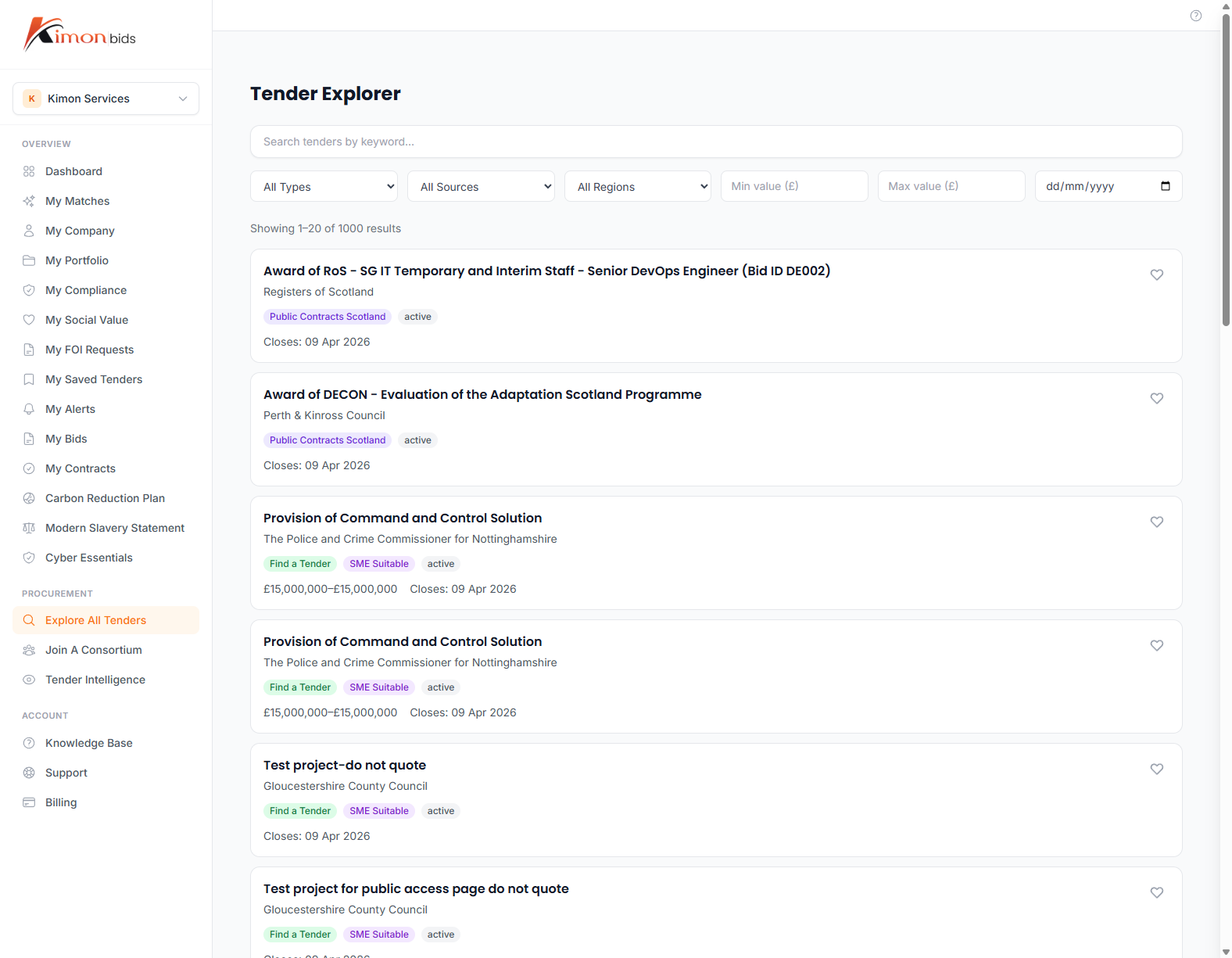
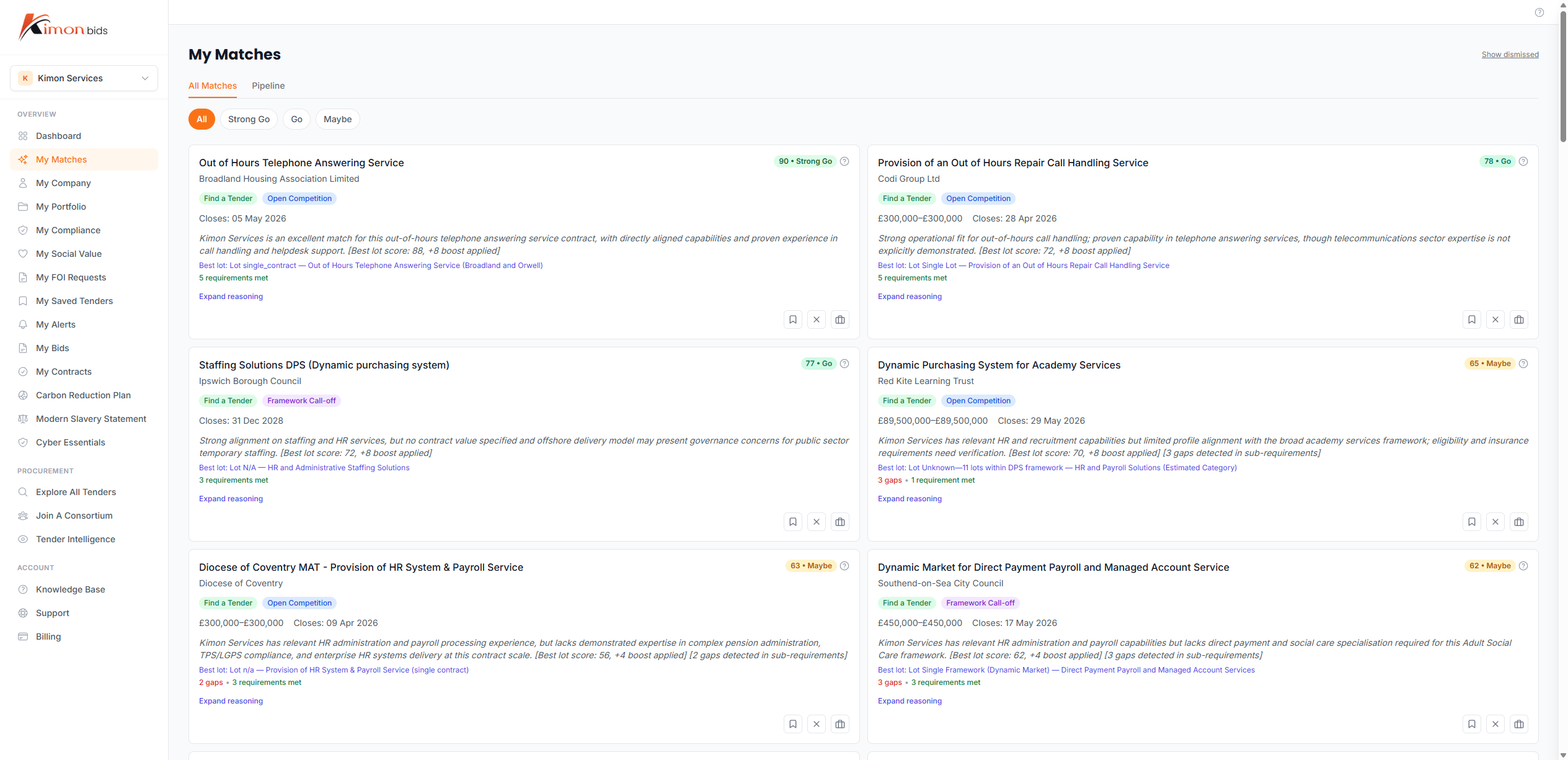
The default view shows:
- Match score (0-100) -- How relevant this tender is to your profile
- Tender title and buyer name
- Closing date -- Highlighted in amber if closing within 14 days
- Estimated value -- Where published by the buyer
- CPV category tags
- Source portal
Click any tender to see the full detail view.
Understanding Match Scores
The match score is calculated based on how closely a tender matches your profile:
| Factor | Contribution |
|---|---|
| CPV code overlap | 40% |
| Sector match | 25% |
| Region match | 15% |
| Company size suitability | 10% |
| Value range fit | 10% |
A score above 70 indicates a strong match. Scores of 50-70 are reasonable matches worth reviewing. Below 50 suggests the tender may not be well-suited to your business.
Note: Match scores are guidance, not definitive qualification. Always read the tender requirements before deciding whether to bid.
Filtering Tenders
Use the filter panel on the left to narrow your results:
By category:
- Sector (broad)
- CPV code (specific)
By opportunity:
- Contract value (min/max)
- Closing date range
- Notice type (live tender, pipeline notice, award notice)
By source:
- Portal (Contracts Finder, FTS, Public Contracts Scotland, etc.)
- Region (England, Wales, Scotland, national)
By qualification:
- SME-suitable flag
- Above/below threshold
Multiple filters can be combined. Active filters are shown as tags at the top of the results list.
Search
Use the search bar at the top of the Tenders page to search by keyword across tender titles and descriptions. Keyword search combines with any active filters.
For best results, search for specific terms used in procurement (e.g. "cloud migration", "facilities management", "social care assessment") rather than generic terms.
Pipeline Notices (Advance Intelligence)
Pipeline notices are published by buyers before they formally launch a tender. They give you advance visibility of upcoming procurement opportunities -- often weeks or months before the live tender appears.
Pipeline notices appear in the Tenders list with a "Pipeline" badge. Key information includes:
- Expected launch date
- Estimated value
- Brief description of the requirement
Why pipeline notices matter: Spotting relevant opportunities early gives you time to:
- Research the buyer and their previous procurements
- Position your business appropriately
- Prepare relevant case studies and evidence
- Register on the buyer's procurement portal if required
When a pipeline notice converts to a live tender, KimonBids links the two and alerts you if you have saved the opportunity.
Pipeline notices are available to Pro+ subscribers (Pro, Growth, and Scale).
Tender Detail View
Click a tender to open the full detail view.
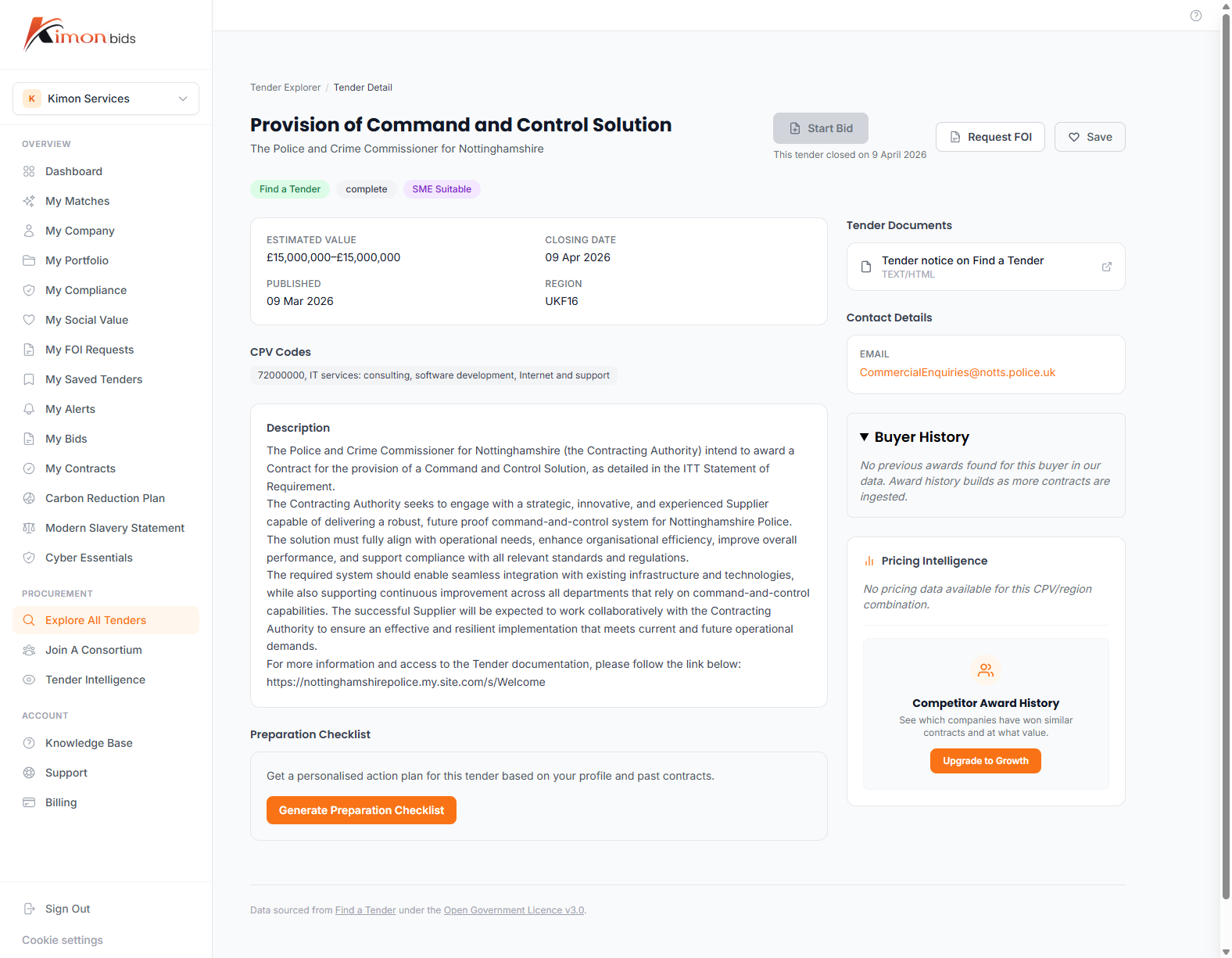
This shows:
Basic Information
- Full tender title and description
- Buyer name, type, and contact details
- Estimated or awarded contract value
- Contract start and end dates
- Closing date and submission method
Procurement Details
- CPV codes
- Procurement method (open procedure, restricted procedure, etc.)
- Above/below OJEU threshold
- SME suitability flag (where stated by buyer)
Award Criteria
Where published in the notice, the award criteria breakdown is shown (e.g. 70% Quality / 30% Price).
Buyer History
See previous contracts awarded by this buyer, including:
- Historical tender values
- Incumbent suppliers (from award notices)
- Procurement frequency in your sectors
Saved Searches
Saved searches let you define a filter combination once and reuse it. When you return to the Tenders page, saved searches appear at the top of the filter panel for quick access.
To create a saved search:
- Apply the filters you want (sector, region, value range, etc.)
- Click Save Search above the results list
- Give the search a name (e.g. "Cloud Services - England - SME")
- Optionally enable email alerts for this search (see below)
- Click Save
Saved searches are available to Pro+ subscribers (Pro, Growth, and Scale). Free accounts can apply filters but cannot save them.
Tender Alerts
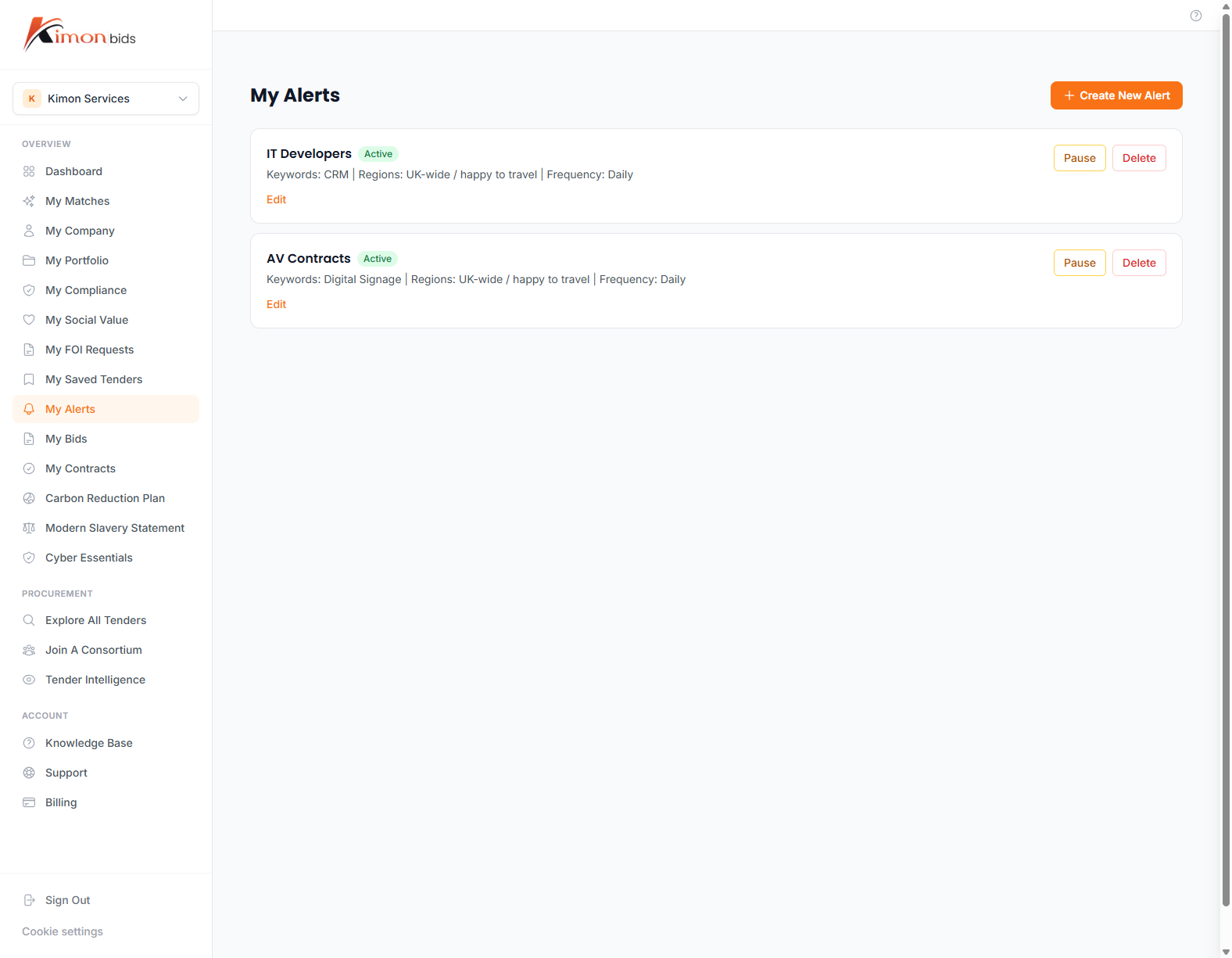
Tender alerts send you an email notification when new tenders matching a saved search are published. This ensures you never miss a relevant opportunity that appears between your regular visits to the platform.
To enable alerts for a saved search:
- Go to your saved searches list (click Saved Searches in the Tenders filter panel)
- Click the bell icon next to the search
- Choose alert frequency: Immediate, Daily Digest, or Weekly Digest
- Save
You can manage all alerts from Settings > Alerts.
Alert frequency guidance:
- Immediate -- Suitable for time-sensitive sectors with short tender windows (e.g. emergency frameworks)
- Daily Digest -- Recommended for most businesses. One email per day summarising new matches
- Weekly Digest -- Suitable for lower-priority searches or sectors with infrequent procurement
Buyer History and Research
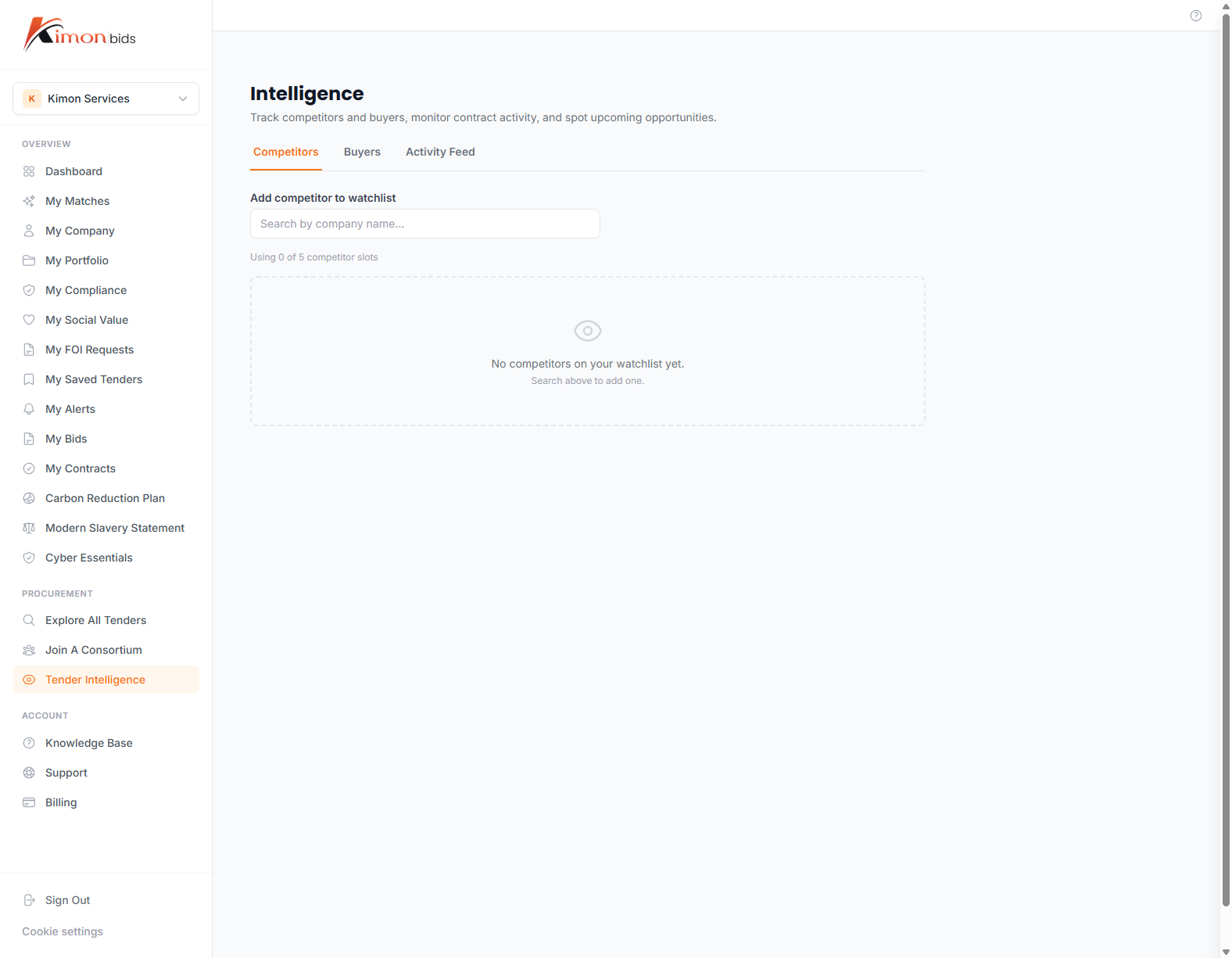
Understanding a buyer before bidding improves your bid quality and win rate. The Buyer History panel (on the tender detail view) shows:
- Previous contracts awarded in your sector by this buyer
- Incumbent suppliers and their contract values
- Procurement patterns (how often they buy, typical values, preferred procurement methods)
- Award notices linked to this buyer
How to use buyer history:
- Check if the incumbent is a large supplier unlikely to be displaced, or a smaller business you could compete with
- Review previous award values to calibrate your pricing
- Look for patterns in procurement method (some buyers prefer frameworks; others use open procedure)
- Research the incumbent supplier's approach to understand how to differentiate
Opportunity Management
Saving Opportunities
Click the bookmark icon on any tender to save it to your pipeline. Saved opportunities appear in your Dashboard and can be tracked through the bid lifecycle.
Moving Through the Pipeline
Saved opportunities can be moved through stages:
- Watching -- You are monitoring this tender but have not decided to bid
- Bidding -- You have committed to bid; linked to a Bid Workspace entry
- Submitted -- Bid sent to buyer
- Won / Lost -- Outcome recorded
Tracking outcomes helps KimonBids improve match accuracy over time and helps you analyse your own win rate.
Dismissing Irrelevant Tenders
If a tender appears in your matches but is clearly irrelevant, click Dismiss. Dismissed tenders are removed from your main view and help calibrate future matches.